Two apps, one year later, finding satisfaction in building
Over the course of the past two months, I've built and shipped two separate apps with dedicated backends. I've finally achieved what has always been a goal of mine, but it didn't really feel that much like an achievement. It goes without saying that I've been able to achieve this with the advancements in AI, and maybe that's why I felt the connection with the projects and it didn't feel as satisfying as I originally anticipated. I tried to solve real problems, but I've always prioritized the making of the thing first, rather than whether it really solves a problem that needs to be solved and how well it does that. I've always wanted to build/architect infrastructure and backends, and today you could do that in a few hours with a few prompts. It feels good once you do it the first time, but after a few times and seeing how everyone could do the same, suddenly you've had enough. Like overeating your favorite food, or buying your dream car only to see that everyone around you drives the same car as you now (like in GTA).
Anyhow, since I've never shared much about the projects, I wanted, before sunsetting them, to ramble a few words about them, to feel less guilty about spending the time, and maybe someone gets something from them after all (I call it recycling).

The projects
Cookyard
I've build cookyard for RevenueCat's Shipyard contest. For the Shipyard context you already have a preset of ideas given so it was easier for me to work on a set goal, plus I had the winter time to focus on shipping something and a deadline of ~1 month. I set a challenge for myself to work everyday on it after work in order to complete it and make it as good as possible. I achieve quite a lot and am proud of myself that I was able to keep the streak going, but the final outcome itself wasn't a very good app. Mostly because I never got to use it day to day and it didn't really feel mine.
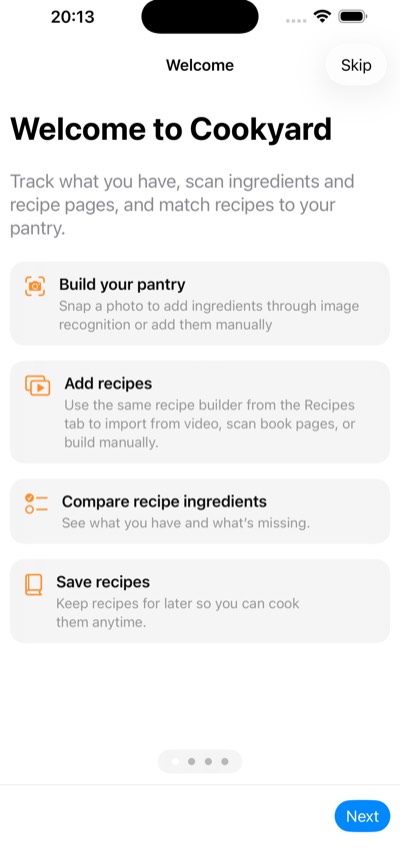
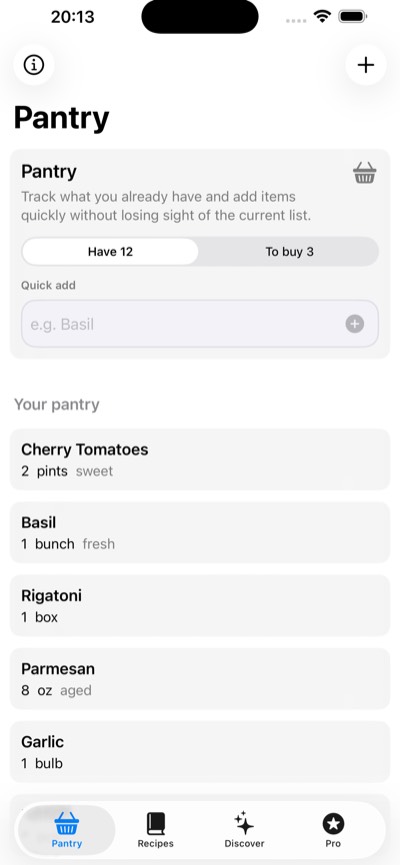
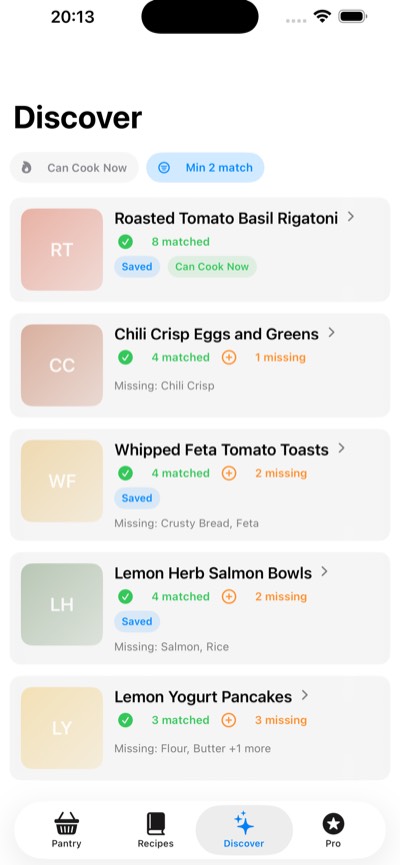
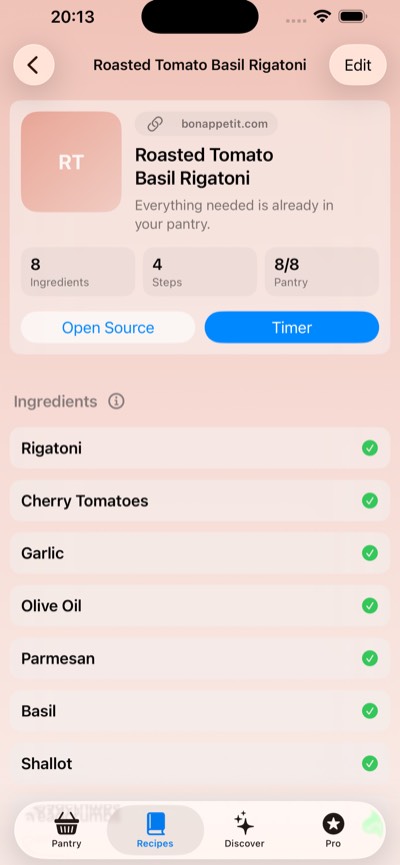
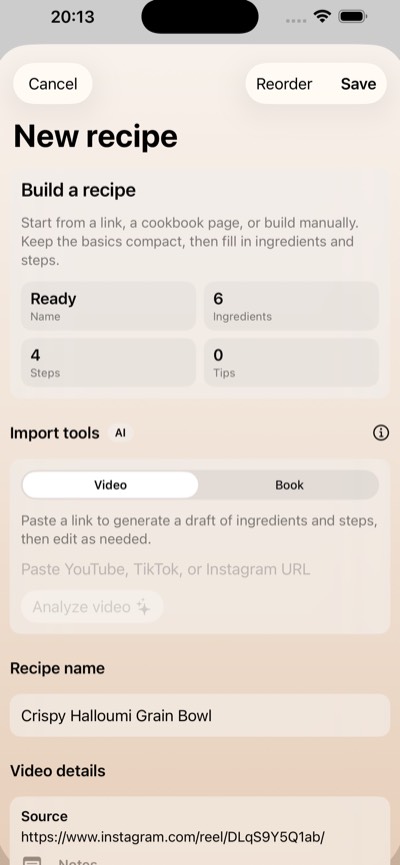
The app is was about keeping track of pantry ingredients, managing shopping lists, and saving recipes. You can add recipes manually, import them from cooking videos, or scan cookbook pages. It also has a discovery feed that compares recipes with your pantry, shows what you're missing, and lets you filter for things you can cook with what you already have. What Cookyard isn't is a good looking app, the UI looks and feels slopish.
Ticketara
This app was build with the aim to submit it for last year's Shipaton, and I think I did it. The problem this time was that I didn't know what I wanted the app to be, at the time we needed some kind of ticket validator app for our iOSKonf tickets but I also wanted to issue tickets through the same app and I wanted to create some kind of a SaaS store creator on a mobile app, so a bit of a soup of your favorite dishes and deserts.
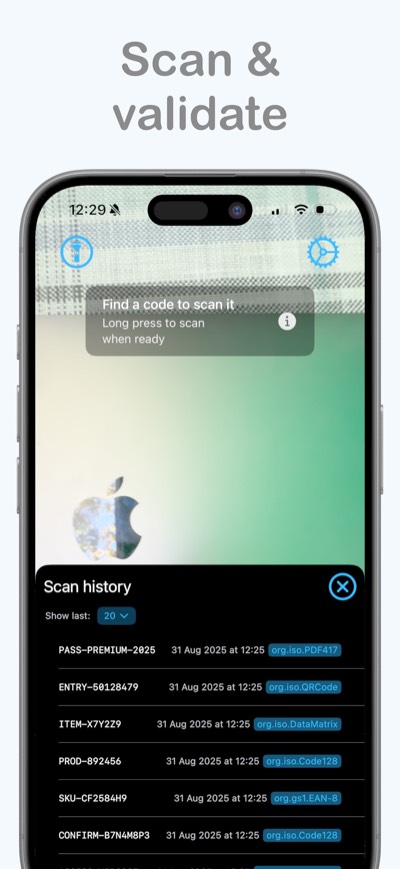
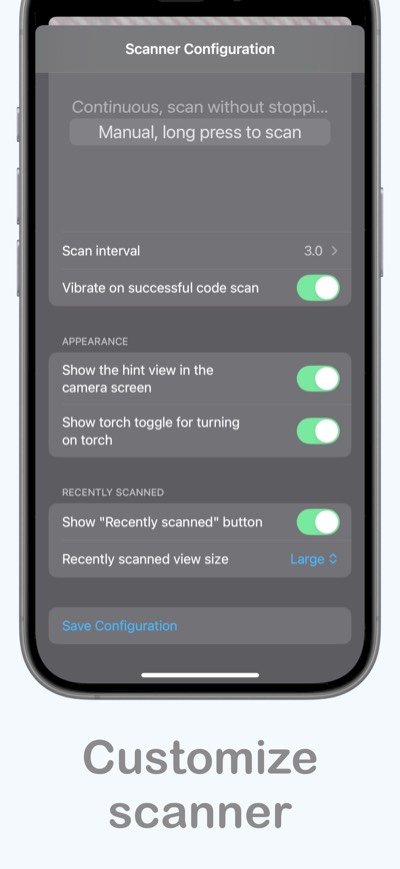
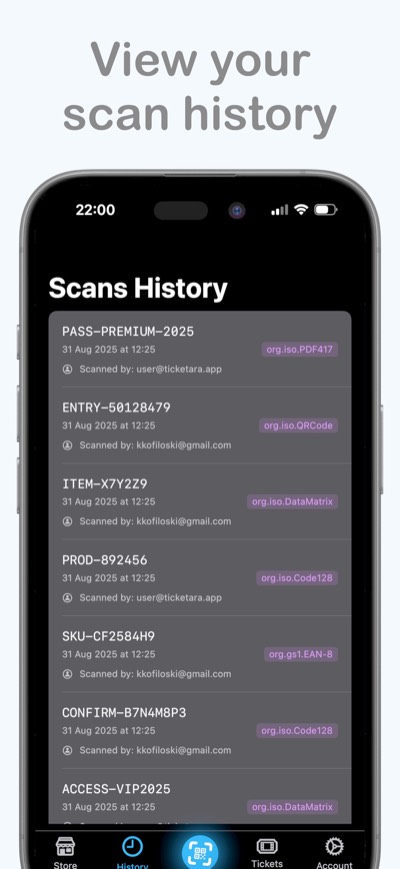
Ticketara has a different shape. It's an iOS app for managing a store, products, orders, and QR scanning, paired with a public web storefront. The merchant works in the app, customers can browse the store and submit an order in their browser.
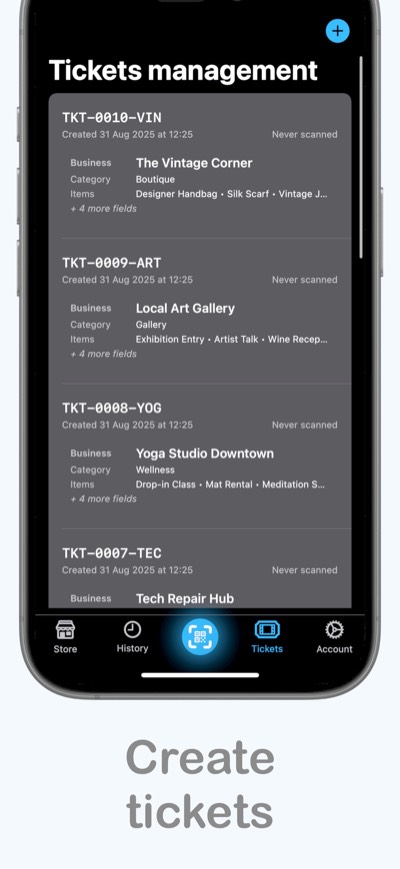
About the projects and the architectures
Cookyard
The app is built with SwiftUI, with observable models managing its state. Pantry items, shopping items, and saved recipes are stored locally in a JSON file. Writes are debounced so a series of edits doesn't immediately produce a series of disk writes. That part of the app doesn't need the backend to keep your data.
The imports are where the more involved infrastructure comes in. Cookyard's backend is a separate TypeScript/NestJS project which I called Shipyard Processor. It runs as two services on Google Cloud Run: a public API that accepts requests and a private worker that processes them. Google Cloud Tasks connects the two, and Firestore holds the job state and extracted results.
When you submit a video link, the API creates a job and queues it for the worker. The app gets a job ID and can check whether the import is queued, processing, completed, or failed. The worker updates that state as it progresses, and the app saves the resulting recipe locally when it's ready. The import coordinator also handles checking pending jobs as the app moves between the foreground and background. You also get a notification once the processing is done. I figured this might be useful hence sometimes it took several minutes for the processing to be done.
There are several extraction paths because different sources expose different information. YouTube captions can provide a transcript to parse. A social post's description may already contain the recipe. If that isn't enough, the pipeline can use Gemini through Vertex AI to understand video, or fall back to audio transcription using Gemini or OpenAI Whisper. yt-dlp and ffmpeg handle media downloading and processing where needed. Vision is another fallback for identifying ingredients that the earlier stages missed.
Here I learned that bigger model isn't always better. Google was sunsetting some -lite model so I thought I would just use the 'pro' version because its better, right? Boy was I wrong, the outputs of the model(transcripts) no longer made sense, so the rest of the pipeline was parsing nonsense, it took me several hours and debugging to figure out that this was the change that made it worse.
The output is structured recipe data: a title, ingredients, quantities where available, steps, and confidence information. This was needed because I needed something structural that I could show the user in a pretty UI from a recipe. Extracting that structure is only part of the job. The backend also has ingredient and step verification, recipe-quality checks, and fields for missing or ambiguous information. It can synthesize missing steps as explicitly low-confidence inferences, which is a different thing from recovering instructions the creator actually provided. This was done so it could improve the quality of the output.
That distinction matters. A model can produce a convincing recipe even when the source never gave it enough information. The system has to preserve uncertainty, and the interface has to make the result understandable to the person who wants to cook it. Getting JSON back from a model doesn't settle whether the recipe is useful or trustworthy.
And because AI processing and video processing are expensive, repeated video imports can reuse cached jobs and results. The cache takes pipeline settings into account, so a change to those settings can produce a fresh extraction. Processing locks help prevent simultaneous worker attempts from doing the same job, and there are retry controls, media-size limits, timeouts, and configurable daily processing budgets. These limits were added because I was affraid that my app would get too much users so that it would ramp up my Google Cloud bill.
Cookbook imports take a slightly different route. Apple's Vision framework reads text from the page images on the phone, then the app submits that text to the backend for recipe extraction. The backend can also generate a thumbnail for these text-based imports. Pantry-photo recognition uses Gemini through Firebase AI Logic directly from the app, so not every AI feature passes through Shipyard Processor. This approaches were done so I could experience more image recognition pipelines so maybe compare them one day.
I've also build a Discovery page which reuses recipes already stored on the backend(meaning recipes other people added). It normalizes the pantry input, ranks recipes by ingredient overlap and completeness, and returns a paginated feed with matched and missing ingredients. The app also has cooking timers, spoken recipe steps.
So behind a recipe app there is local persistence, an asynchronous import system, several extraction providers, caching, and a recommendation feed. Those are the parts I wanted to document before closing it down.
Ticketara
The iOS app is primarily SwiftUI, with an AVFoundation camera scanner wrapped in UIKit. Firebase integration sits behind utility and manager types that handle authentication, Firestore data, file storage, and calls to backend functions. Firestore listeners feed changes back into the app's observable state.
The backend uses TypeScript Cloud Functions for Firebase. Firebase Authentication handles merchant accounts, Firestore stores the business data, Cloud Storage holds product photos and generated invoices, and Firebase Hosting serves the public website. The current data model gives each merchant one store, with products and orders scoped to that merchant's account.
Creating a store reserves its public URL path in a Firestore transaction. That registry maps the readable store address to its owner and store document. Publishing makes the store available through the hosted storefront. Requests to /store/{urlPath} are routed to a function that reads the store and its products and renders the HTML on the server. Static JavaScript handles the product gallery, cart, and checkout interactions in the browser, with cart state stored locally per store.
The browser sends product IDs and quantities to the order API. The backend reads the product records and calculates the prices and totals itself, rather than trusting a total supplied by the client. It also checks whether products can be ordered and whether the customer's country is supported by the store. This flow creates an order for the merchant to review Payment capture isn't part of it, because integrating Stripe was too much overhead.
Checkout includes a request ID so retrying the same submission doesn't create another order. A Firestore transaction records that request alongside the order and a background task. The order starts as pending, and the merchant can review it and update its status from the iOS app.
Background work is driven by documents in an orderTasks collection. A Cloud Function runs when a task is created, handling things such as order emails, merchant push notifications, and approval artifacts. On approval, it generates a QR code and a PDF invoice, stores the invoice in Cloud Storage, and queues an email with the attachments. Emails are sent through Firebase's Trigger Email extension, merchant push notifications use Firebase Cloud Messaging.
The QR code contains an opaque identifier that resolves to the order through an owner-scoped lookup. The app sends it to the backend for validation when scanned. Validation uses a Firestore transaction to check and update its usage state, so two concurrent scans can't both consume a single-use code. The backend records the scan in the order's audit history and the merchant's scan feed.
Merchant functions require authentication, and the callable endpoints enforce Firebase App Check. Firestore and Storage rules control client access to merchant data and files. The public storefront has its own HTTP endpoints, including rate limits for cart quotes and order submissions. It's a different access path from the authenticated merchant app.
The mobile app also has local Firebase emulator wiring and tests for areas such as store creation, publishing, order logic, rendering, and access rules. That makes it possible to check parts of the app/backend contract without using the production environment.
Cookyard's backend is mainly about extracting useful information from uncertain source material. Ticketara's is mainly about keeping store, order, and scan state consistent across a native app and a public website. They gave me two different systems to build, and writing down how they work is the part I'm keeping here.
Key findings from these projects
For me, its really important to feel and be connected to the project you are working, otherwise I loose track, focus and describe to work on it and I feel like the time spend goes to waste. Connection can come in different forms, whether I can use it daily, see that it solves particular problem of mine or the people around me and vice-versa. This is probably why I never get tired on working dev stuff for iOSKonf, or any stuff for iOSKonf for that matter.
I've also find it difficult to work on something that I don't think it looks good, which was quite often the case with the AI generated SwiftUI code (idk, call it a skill issue), but all the apps looked pretty much the same generic look (aka slopish).
So for the future, I've decided to spend my time and don't rush to create or develop something (I know, I've fallen a victim to the "I have created X apps in a week and they are making me $$$$$$" too) meaningful and useful to me, and something that I will be proud of, while also doing it at my own pace.